Recording and mixing
When we started this project, my group and I were instructed to choose a song to cover. My group had multiple songs to choose from, but we ended up choosing “If You Want To” By Beabadoobee, from her album Patched Up. The reason we chose this song was that it was a song we all enjoyed listening to and wanted to recreate. Additionally, we were all familiar with the artist and some of her other songs, so we knew what kind of feel to aim for when creating the cover.
Research
For the research of this song, I was trying to find what kind of techniques the artist used on her own recording to see if we could replicate them in the studio, but sadly, I couldn’t find anything about the techniques. Still, I did find that some of the mics we had available for use were some of the mics that the artist used, so we decided to use them to replicate the song closely. For the research of the lyrics and tabs, thankfully, it was all available on the internet pretty easily. As for the drum part, I was playing it and just learned it by ear, as it wasn’t too hard a song to play, and it allowed me to get a little more creative with how fills were played.


Mics
Piano – for the small piano section you hear within the song, it was recorded through MIDI on Ableton, and then I bounced it down and imported it onto Pro Tools. Also, I mixed it on Ableton, which allowed me to just keep the effects I had on it when I bounced it.
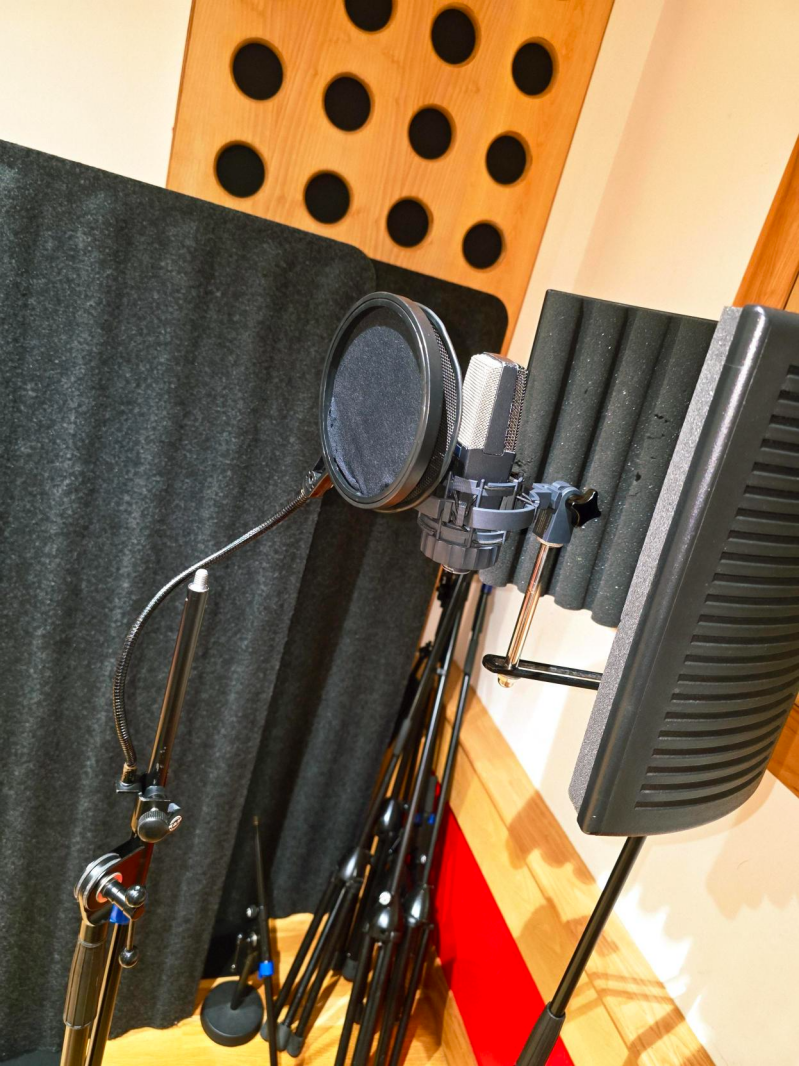
Vocals – The vocals were recorded using an AKG C414 with a pop shield. One challenge I faced when recording was communication with the singer, I struggled to get across exactly what I wanted for the song for example I kept asking the singer for her opinion on how she wanted to record it and she ended up getting breathless but instead of asking her to change we ended up sticking I think for next time I do a project like this I will definitely be more assertive with the singer on how I want the vocals to sound. One thing that made it easier was that, thankfully, I knew the singer who was brought in, so it was a little easier to ask for what I wanted.
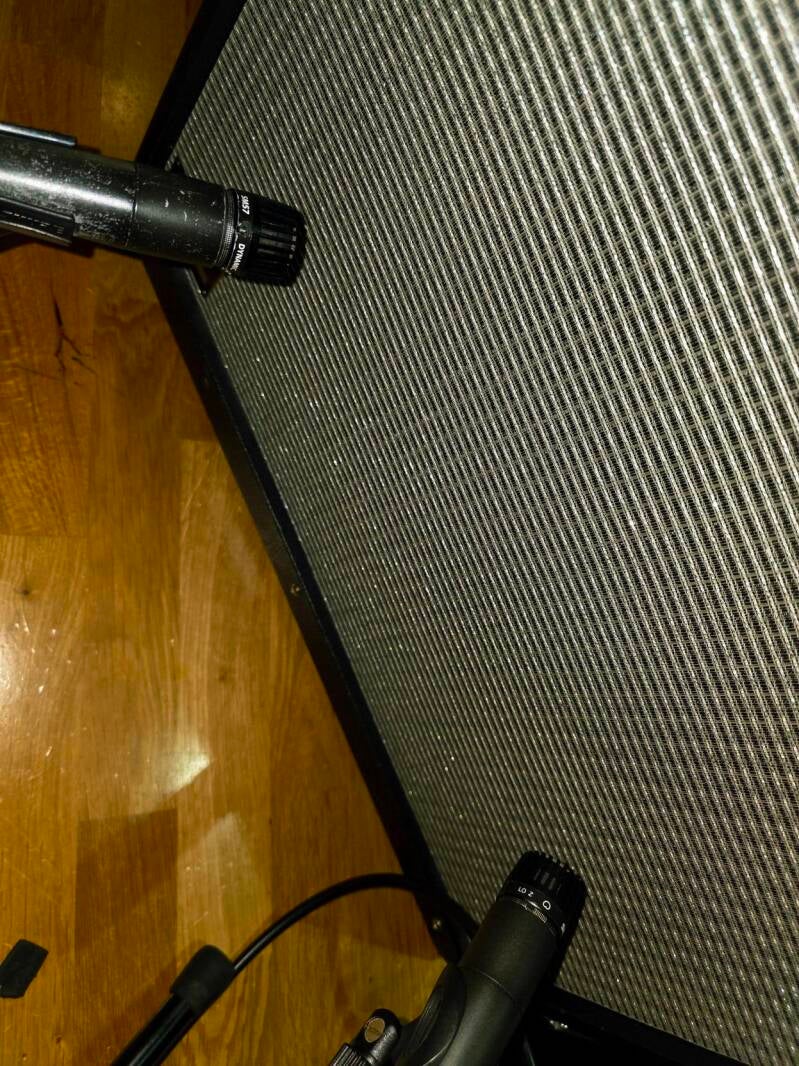
Electric Guitar – The electric Guitar was recorded using a DI Box as well as two SM57s aimed at the sound cones, as the amp we were using had two cones, which meant we were able to pan the two microphones left and right, making the sound more rounded and filling the space in the song. One struggle we had when it came to mixing was that we realised that the DI doesn’t sound great, so originally, I had cut it, but after listening to it again, I actually decided to change my mind and try mixing it, and eventually ended up with a version that fit really well with the feel of the song.

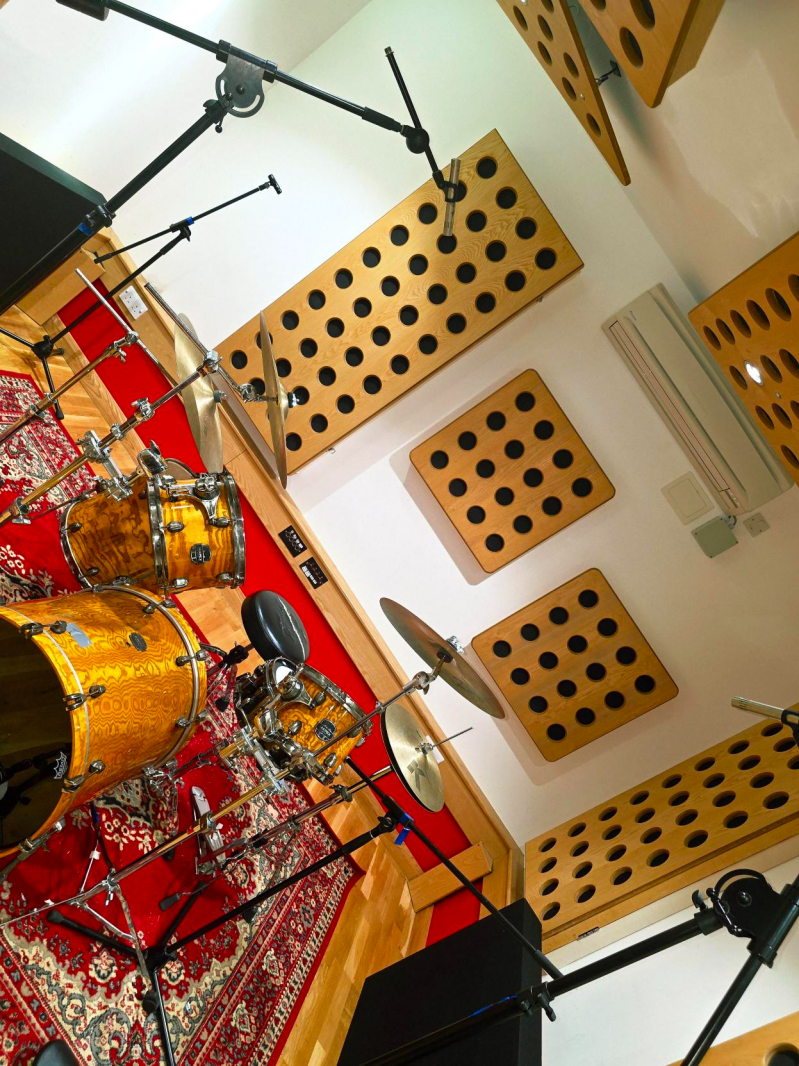
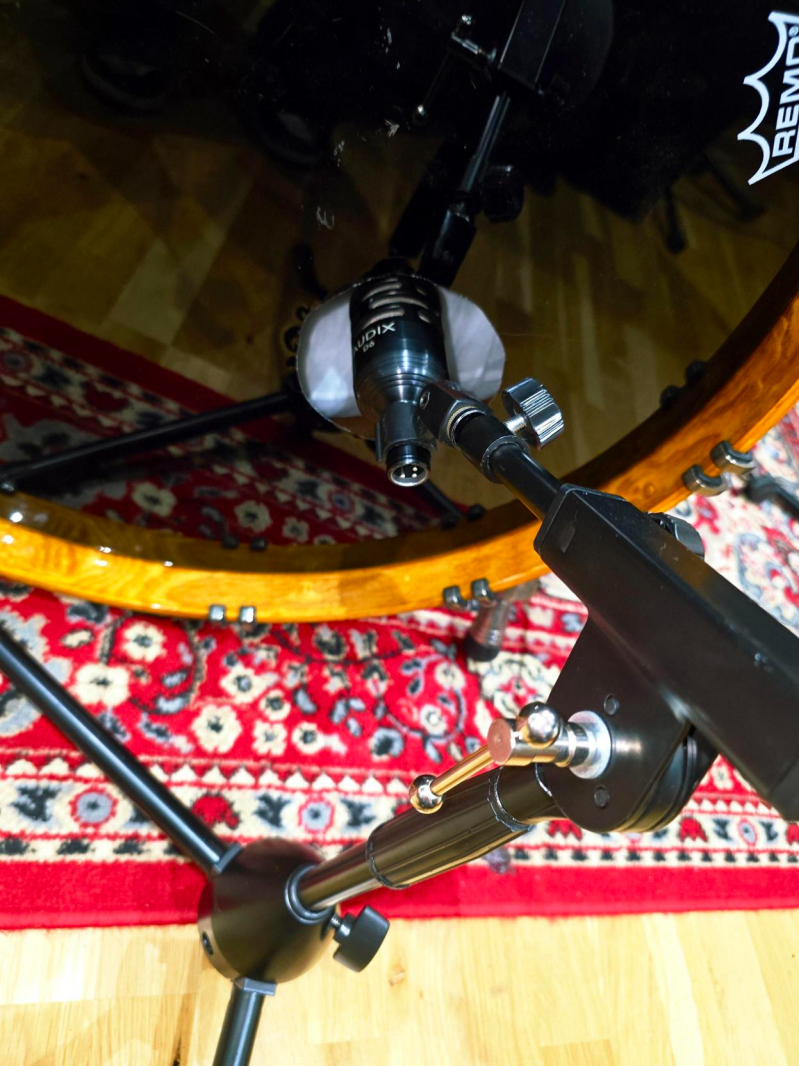
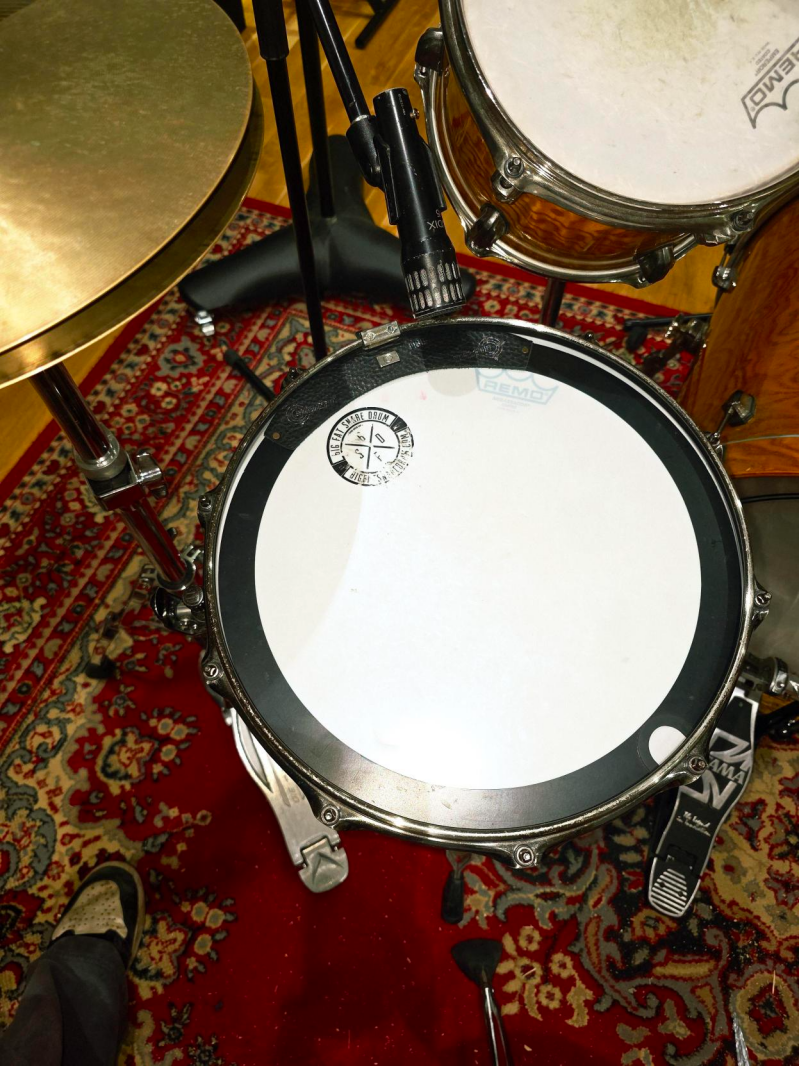
Drums – when recording drums, we had a few issues where the snare sounded terrible or the kick was way too bassy, so we went through many different mics to try get a good sound and ended up using the Audix Kit which includes a D6 For the kick, D4 which was used on the floor tom, an I5 which was used on the snare and two ADX51s as overheads in the picture you may notice different mics this is because this was taken from when i used a different pair of overheads which had problems when we listened back so we decided to change to the audix kit overheads. We chose this as the kit came all together, and from prior experience using this kit, we knew it made a great tone for the song. The mic-Ing technique we decided to use was pretty standard. We had your basic 2 overheads, one mic on the snare and the kick, and then finally a mic on the floor tom. The reason for the mic on the floor tom was originally that we were going to have a build-up to the main verse of the song, but we decided against it as it sounded better without.

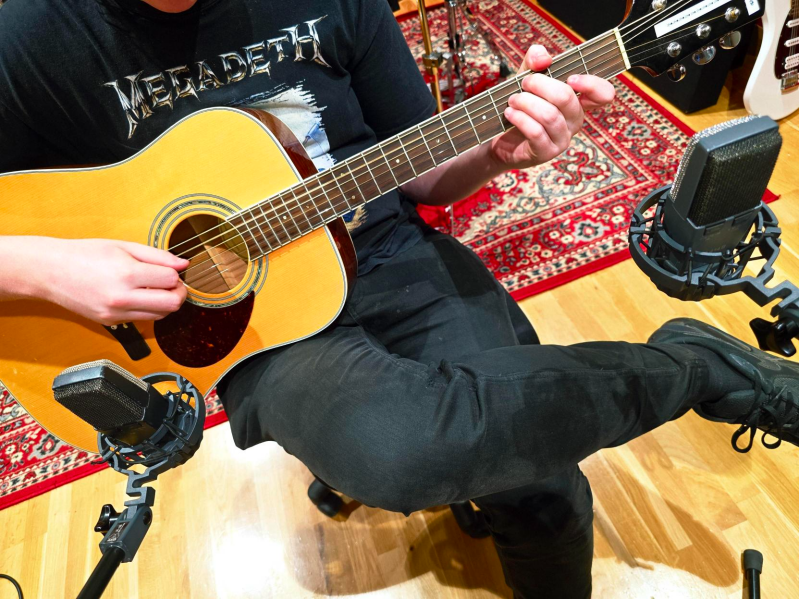
Acoustic Guitar – For the recording of the acoustic guitar, I got one of my friends from out with my college to come in and play the song for us, as no one in my group was a confident guitarist. To record, we used two AKG C414's, one aimed at the sound hole and the other aimed at the neck of the guitar. This was done so we could hear the nice, lush sound from the body, but also so we could get the sliding of the chords on the neck. The picture doesn't show it great but the mics were closer to the guitar during recording so we could pick up the best possible sound from them and so that when the musician switched chord we could hear the slide on the strings.
Mixing Details
When mixing, I aimed to match the original song as close as possible, as well as maybe add some slight differences to show that it was mine.
Originally, when I was first mixing, I decided to take out the electric guitar, as when listening to it, I had problems with it making a buzzing sound, as well as it sounding weird during the bend parts of the song.
For the vocals, I added Melodyne as the singer was slightly off a few notes, and I wanted it to be more in key. In addition to the Melodyne, I also added Reverb to make the vocals feel fuller and more vibrant. For the bass, I didn’t do much mixing-wise, as I was happy with the overall dry sound of the bass. The only thing I did was add an EQ with a high-shelf preset. This lowered the highs slightly to around -9db and boosted the low to around 2db. I also added a compressor just to make the bass slightly tighter and stop a little bit of the string rattling.
The section I have done the most mixing on is the Drums. Let's start with the overheads. On the overheads, I added a preset EQ called Cut Harsh Attack, which was a cut of 2db at around 2 kHz. This eliminated some of the harsher crashes and hi-hat sounds. I also added 2 compressors to do different things. The first Compressor is using a preset called “Hard Hitting bM,” the plugin I'm using is Pro C-2. What this preset did is boost the lows slightly to brighten the kick more and make it shine a little more within the whole cover. The second Compressor is using a preset called " Subtle Splash control,” which cuts some of the lows; that's why I needed the first one to boost the kick a bit, as this one made it sound too high-pitched.